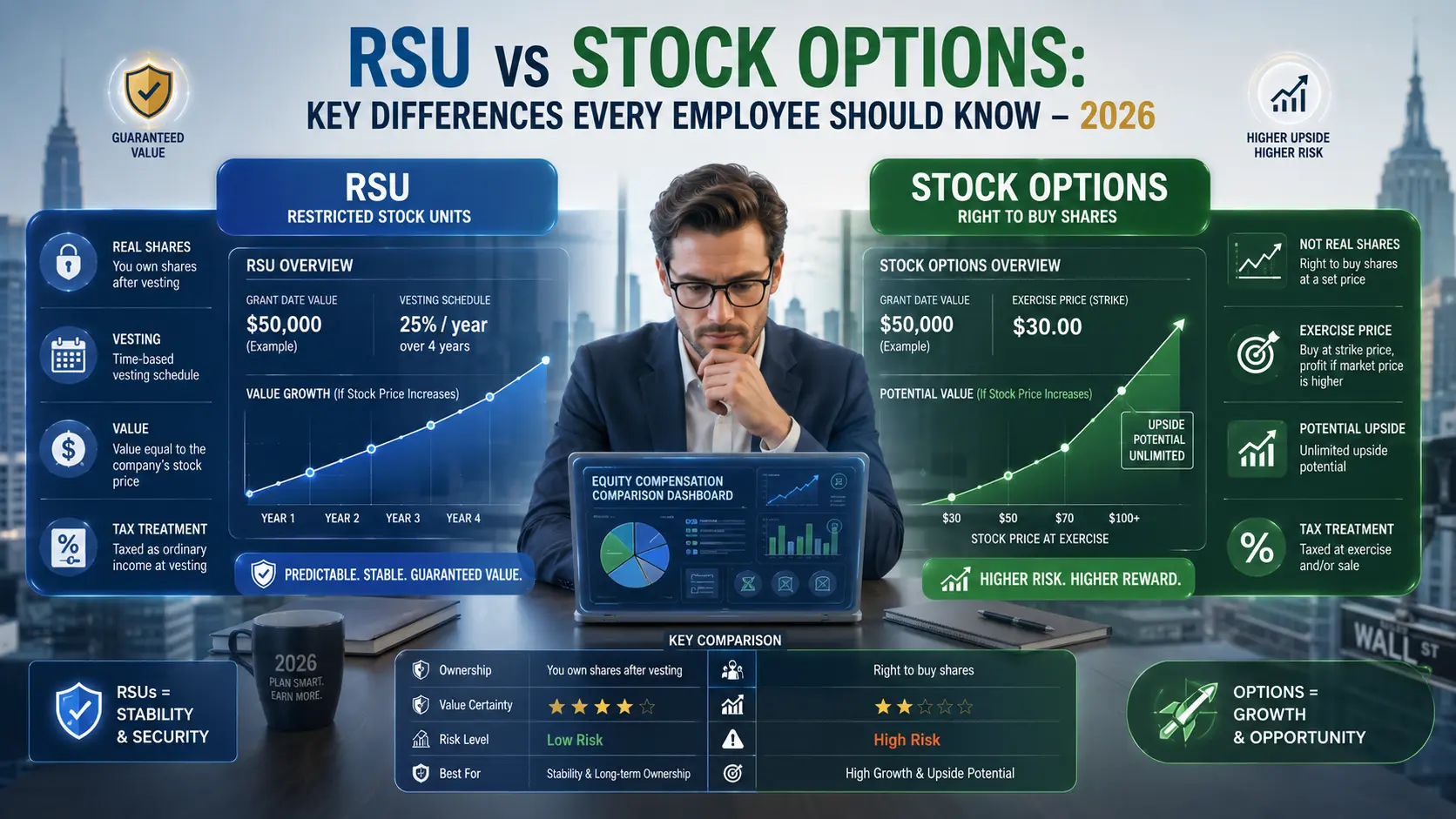
Your employer just handed you an equity package. Maybe it’s RSUs. Maybe it’s an ESPP with a 15% discount. Maybe it’s a formal share incentive plan with matching shares on top. The numbers look good but what do they actually mean for your paycheck, your tax bill, and your financial future?
That’s where a share incentive plan calculator does real work. Enter your share price, vesting schedule, and tax rate, and within seconds you can see what that equity grant is actually worth after federal income tax, state withholding, and FICA not just on paper.
This guide walks through exactly how to use the Share Incentive Plan Calculator at ShareIncentivePlanCalculators.com. You’ll also get a worked example with real dollar amounts, a side-by-side comparison of the most common equity types, and the mistakes that cost employees real money.
What Is a Share Incentive Plan Calculator and What Does It Do?
A share incentive plan calculator is a financial modeling tool built specifically for employees who receive equity as part of their compensation. It takes the inputs that actually matter share price, number of shares granted, vesting schedule, estimated stock growth, and your effective tax rate and shows you a year-by-year breakdown of your pre-tax value, estimated taxes owed, and final after-tax amount.
The calculator at ShareIncentivePlanCalculators.com handles several equity types: RSUs (Restricted Stock Units), ESPPs (Employee Stock Purchase Plans), ISOs (Incentive Stock Options), and NSOs (Non-Qualified Stock Options). That matters because each type has a different tax trigger point, different IRS treatment, and a different impact on your W-2 or Form 1099.
Think of it this way: a raw grant number tells you very little. 1,000 RSUs at $45 per share sounds like $45,000. But after a 32% federal rate, California state income tax, Social Security at 6.2%, and Medicare at 1.45%, the actual take-home is closer to $27,000 on that tranche. The calculator shows you that before vesting day, when there’s still time to plan.
The free version requires no account and no email. It runs entirely in your browser. A basic run takes under 3 minutes.
For more detail on how RSUs specifically interact with your tax return, the RSU Tax Calculator handles grant-level modeling with full bracket breakdown.
How Is Share Incentive Plan Value Calculated?
The core math involves two formulas running in sequence. First, the projected share price. Then, the after-tax net value based on how your specific equity type is taxed.
Formula 1 — Projected Share Price:
Projected Price = Current Share Price × (1 + Annual Growth Rate) ^ Years Until VestingFormula 2 — Equity Value by Type:
RSU / ESOP Value      = Projected Price × Number of Shares Vesting
Stock Options Value   = (Projected Price − Strike Price) × Shares Vesting  [if projected > strike]
ESPP Value            = (Market Price − Purchase Price) × Shares Purchased
Net After-Tax Value   = Gross Value − (Gross Value × Effective Tax Rate)
Every variable matters:
- Current Share Price — for public companies, use today’s market price; for private companies, use the most recent 409A valuation
- Annual Growth Rate — your best estimate of annual stock appreciation; 6–10% is a reasonable baseline for established tech firms, though nothing is guaranteed
- Vesting Period — standard schedules are 4 years with a 1-year cliff for RSUs; confirm yours in your grant agreement
- Tax Rate — federal supplemental withholding runs at a flat 22% for income under $1 million; higher earners face 37%
- Strike Price — only applies to stock options; the price locked in at grant date
The IRS classifies most equity income as ordinary income at the time of the taxable event, per IRS Publication 525. Long-term capital gains treatment kicks in only when you hold shares for at least 12 months after the taxable event — not from the grant date.
For ISO holders, the calculation gets a layer more complex because of AMT exposure.
How to Use the Share Incentive Plan Calculator (Step-by-Step)
Step 1: Select your equity type. The calculator defaults to RSUs. Change this to ESPP, ISO, or NSO if your plan is different. Each type loads different fields and applies the correct tax logic.
Step 2: Enter the current share price. For public companies, pull today’s market price. For private companies, use your most recent 409A valuation document HR or your equity platform (Carta, Shareworks, Solium) can provide this.
Step 3: Enter the number of shares granted. This is your total grant number, not the first vesting tranche. The calculator divides it across the vesting schedule automatically.
Step 4: Set your vesting schedule. Choose between cliff vesting (all shares at once after a set period) or graded vesting (shares unlock incrementally, typically 25% per year over 4 years). If your plan has a 1-year cliff followed by monthly vesting, enter it accordingly.
Step 5: Input the employer matching percentage. Some SIP-style plans include employer matching for example, 1 free “matching share” for every 2 “partnership shares” you buy. Enter that percentage here. The employer matching share calculator section shows how this compounds your total equity benefit.
Step 6: Enter your estimated annual stock growth rate. Be realistic. Using 20% because your company had a strong year is how projections mislead you. Use 5–8% for large-cap tech, 8–12% for high-growth startups with strong recent performance. You can run the model twice at different rates to see the range.
Step 7: Enter your effective tax rate. This is your combined federal + state marginal rate on ordinary income. A mid-career software engineer in Texas with $130,000 base salary sits around 28–30% combined (no state income tax). The same person in California would be 35–38% combined. The calculator accepts a custom percentage.
Step 8: Click “Calculate.” The output shows year-by-year pre-tax value, estimated tax, and after-tax value. A summary table at the bottom shows your total cumulative equity value across the full vesting period.
That’s it. The whole process takes about 2–3 minutes if you have your grant agreement open.
Worked Example: Rachel, a Software Engineer in Austin, Texas
Rachel works at a mid-size publicly traded tech company in Austin. She received an RSU grant of 1,200 shares at a current stock price of $60. Her vesting schedule is 4 years with a 1-year cliff (300 shares per year). She expects the stock to grow at roughly 7% per year and her combined federal + Texas state tax rate is 29% (no Texas state income tax).
Here’s what the share incentive plan calculator shows:
| Year | Shares Vesting | Projected Price | Pre-Tax Value | Estimated Tax (29%) | After-Tax Value |
|---|---|---|---|---|---|
| 1 | 300 | $64.20 | $19,260 | $5,585 | $13,675 |
| 2 | 300 | $68.69 | $20,607 | $5,976 | $14,631 |
| 3 | 300 | $73.50 | $22,050 | $6,395 | $15,655 |
| 4 | 300 | $78.65 | $23,595 | $6,843 | $16,752 |
| Total | 1,200 | — | $85,512 | $24,799 | $60,713 |
Rachel’s grant looked like $72,000 on paper (1,200 × $60). With 7% annual growth, it grows to $85,512 pre-tax over 4 years. After estimated taxes, her actual take-home across the vesting window is roughly $60,713.
The key takeaway: that’s $60,713 she can plan around for a down payment, maxing out her 401(k), or building a taxable brokerage account. She can set a calendar reminder before each vest date so she’s not caught off guard by the supplemental income hitting her W-2.
Rachel’s employer withholds at the IRS flat supplemental wage rate of 22% at vesting. Her actual rate is 29%. That 7-point gap means she owes roughly $1,350 more in taxes at each vest than her employer withheld. Running the calculator ahead of time means she isn’t surprised in April.
Understanding Your Results
The calculator returns 3 numbers per year. Here’s what each one actually means.
Pre-Tax Value is what your shares are worth on paper at the projected price. This is the number companies advertise in offer letters. It tells you the size of the benefit before the IRS takes its share.
Estimated Tax is the dollar amount withheld or owed based on the tax rate you entered. For RSUs, this is ordinary income tax — the same rate as your salary. For ISOs held to a qualifying disposition, this could reflect long-term capital gains instead. For ESPP qualifying dispositions, the calculation splits into an ordinary income component (the discount) and a capital gains component (the appreciation above the purchase price).
After-Tax Value is your realistic take-home. This is the number that matters for financial planning. It’s what you actually pocket if you sell the shares on the vest date. If you hold beyond the vest date and the stock rises further, you’ll also recognize capital gains on any post-vest appreciation and if you hold for at least 12 months past vesting, those gains qualify for the lower long-term capital gains rate.
One thing the results won’t show you: what happens if the stock drops after vesting. If Rachel’s stock falls to $40 by Year 1 vest date, she still owes income tax on the $64.20 fair market value at the time of vesting not on $40. That’s a scenario worth modeling separately using the LTIP Calculator or running the tool at multiple growth rate assumptions.
RSU vs. ESPP vs. Stock Options: A Side-by-Side Comparison
Each equity type runs through the share incentive plan calculator differently because each has a different tax trigger and a different risk/reward profile.
| Feature | RSU | ESPP | ISO | NSO |
|---|---|---|---|---|
| Tax Trigger | Vesting date | Sale date | Exercise + sale | Exercise date |
| Income Type at Trigger | Ordinary income | Ordinary + capital gains | AMT (exercise), capital gains (sale) | Ordinary income |
| IRS Form | W-2 | W-2 + Form 3922 | Form 3921 | W-2 |
| Employer Match | Sometimes (SIP-style plans) | Yes — typically 10–15% discount | No | No |
| AMT Risk | Low | Low | Yes significant | No |
| Holding Period Benefit | 12 months post-vest for LTCG | 2 years from offering + 1 year from purchase | 2 years from grant + 1 year from exercise | 12 months post-exercise |
| Annual Limit | No IRS cap | $25,000/year (FMV at offering) | $100,000 ISO annual vest limit | No cap |
| Best For | Predictable compensation | Lower-risk equity participation | Maximizing tax efficiency | Flexibility without ISO restrictions |
The ESPP row deserves a closer look. The $25,000 annual limit is based on fair market value at the start of the offering period — not the purchase price. If your company’s stock is at $50 when the offering opens, you can contribute up to $500 per month. The employee equity plan calculator tool on the site handles ESPP modeling with lookback provisions included.
ISOs have the most favorable potential tax treatment but carry real AMT risk. If you exercise ISOs and hold through year-end, the spread between strike price and FMV becomes an AMT preference item even if you haven’t sold a share.
Real-World Use Cases
Use Case 1 — Evaluating a job offer. A product manager in Denver gets a competing offer that includes 800 RSUs at $55 per share over 4 years, versus a cash-heavy offer with no equity. Plugging both into the share incentive plan calculator with a realistic 6% growth rate and 32% combined tax rate shows the RSU package adds roughly $29,000 in post-tax value. That number is concrete enough to factor into the negotiation.
Use Case 2 — Planning a large purchase. A senior engineer at a Seattle company knows 500 shares vest in February 2027. At the current stock price of $88, that’s $44,000 pre-tax. Using the SIP vesting schedule calculator, she models the after-tax value ($30,800 at her 30% rate) and knows she can realistically count on that amount for a home down payment provided the stock doesn’t fall significantly.
Use Case 3 — Managing a tax spike. A director-level employee in San Jose has RSUs vesting across 3 tranches in one calendar year: $18,000, $22,000, and $26,000. That $66,000 in ordinary income hits in addition to her $210,000 base, pushing her into the 35% federal bracket. Running the employee share plan value calculator before the year starts lets her adjust estimated quarterly tax payments and avoid an underpayment penalty.
Use Case 4 — Employer matching shares. A participant in a formal SIP (more common in hybrid US-UK equity plans) contributes $250/month in partnership shares. The company provides 1 matching share for every 2 purchased. The employer matching share calculator shows that with 8% annual growth, the matching benefit alone adds roughly $4,800 in post-tax equity value over 3 years.
For ESOP participants and longer-horizon planning, the ESOP Calculator and the Long-Term Incentive Calculator are worth running in parallel.
Common Mistakes & Misconceptions
Mistake 1: Forgetting the withholding gap on RSUs.
Employers are required to withhold at the IRS flat supplemental wage rate — 22% for income under $1 million. If your actual marginal rate is 32% or 35%, you’re underwithheld by 10–13 percentage points at every vest. That shortfall shows up as a tax bill in April. Run the calculator with your actual marginal rate, not 22%, to get an accurate picture.
Mistake 2: Treating grant value as take-home value.
A $100,000 RSU grant is not $100,000. Depending on vesting schedule, stock price movement, and tax rate, the real number could be anywhere from $55,000 to $75,000 after taxes. Plan around the after-tax column, not the headline grant number.
Mistake 3: Using the wrong cost basis when selling.
When RSUs vest, the fair market value at vesting becomes your cost basis not $0. If you sell immediately at the vest price, you owe ordinary income tax but no additional capital gains tax. If you hold and the price rises, you owe capital gains only on the additional appreciation above the vest-date FMV. Many employees report the full sale price as a gain, which leads to double-counting income. IRS Publication 525 covers the full cost basis calculation.
Mistake 4: Ignoring state tax in the calculator.
Texas, Nevada, and Florida have no state income tax. California’s top marginal rate is 13.3%. New York City adds a local tax on top of New York state. The difference between a California-based and Texas-based employee on the same RSU grant can easily run $7,000–$10,000 per vest. Always enter your combined rate.
Mistake 5: Assuming cliff vesting means all shares vest tax-free until the cliff.
The cliff just determines when vesting happens not whether the income is taxable. When 25% of your shares hit on the 1-year cliff date, that entire amount is ordinary income on that day. Some employees are surprised to see a big number on their W-2 in their first full year.
Misconception: ESPP shares are always taxed at capital gains rates.
Partially true, but only for qualifying dispositions. Hold for less than 2 years from the offering date or 1 year from the purchase date, and the discount portion is taxed as ordinary income on your W-2. The calculator models both scenarios qualifying and disqualifying so you can compare.
When NOT to Rely Only on This Calculator
The share incentive plan calculator is a planning tool, not tax advice. A few situations call for a CPA or CFP alongside the calculator:
Multi-state vesting. If you worked in California for 2 years of a 4-year RSU grant and then moved to Texas, California can still claim a portion of your RSU income based on where you performed services during the vesting period. The calculator doesn’t handle state apportionment a tax professional does.
ISO/AMT overlap. If you exercise ISOs and hold them into a new calendar year, AMT could be triggered even if you never sold a share. This is not captured in standard equity calculators. Use the dedicated AMT Calculator and consult a CPA before exercising large ISO tranches.
Section 83(b) elections. RSAs (Restricted Stock Awards, which are different from RSUs) allow a Section 83(b) election you pay tax on the grant date value, not the vest date value. This can be a smart play when the stock is low at grant. It’s irrevocable and must be filed within 30 days of the grant date. The calculator can’t model whether this election is right for your situation. That requires professional judgment.
ESOP distributions and vesting rules. If you’re in a company ESOP plan with delayed distributions or specific vesting schedules tied to years of service, it handles that complexity but the distribution tax rules under IRC Section 402 often require a tax professional to get right.
Private company shares with no liquidity. The calculator assumes you can sell your shares. In a private company, you may not be able to until an IPO, acquisition, or secondary sale. Modeling equity value for shares you can’t easily sell requires a different planning conversation than the calculator is designed for.
Estimate only. Actual tax treatment may vary based on your individual situation. Consult a licensed CPA or CFP before making financial decisions.
Tips to Get the Most Accurate Results
Use your marginal rate, not your average rate. Your marginal rate is what the next dollar of income gets taxed at the rate that applies to supplemental income like RSU vests. Your average rate (total tax divided by total income) will be lower and will understate your true liability.
Run the calculator twice: base case and bear case. Use your expected growth rate once, then rerun with 0% growth (the stock stays flat). The gap between those two outputs is the range of outcomes you’re planning around.
Check your 409A before using private company shares. For pre-IPO companies, the 409A valuation is the IRS-accepted fair market value. Using an informal estimate can lead to significant miscalculations in both the equity value and your tax liability.
Account for FICA on the first vest of the year. Social Security tax applies to wages up to $176,100 in 2026. If your RSU vest pushes you above that threshold, you may still owe Medicare (1.45%) plus the 0.9% additional Medicare surtax on wages above $200,000 (single) or $250,000 (joint). Enter your total compensation, not just base salary, when setting your tax rate.
Use the LTIP calculator for performance-based grants. If your shares vest only when certain financial targets are hit, the standard vesting schedule model may overstate your expected value. The Long-Term Incentive Calculator includes performance-based vesting assumptions.
Save your results before refreshing. The free calculator doesn’t store results between sessions. Screenshot or export before closing the tab.
Frequently Asked Questions
What is a share incentive plan calculator?
A share incentive plan calculator is a web-based tool that estimates the future value of equity compensation including RSUs, stock options, and ESPPs. You enter inputs like share price, number of shares, vesting schedule, expected growth rate, and your tax rate. The tool then shows your pre-tax value, estimated tax owed, and after-tax take-home, typically broken out year by year across the vesting period.
How do I calculate the value of my employee share plan?
Start with your current share price and multiply it by the number of shares vesting in each period. Project the share price forward using an estimated annual growth rate. Then subtract taxes based on your combined federal and state marginal rate. For RSUs, the full vested value is taxed as ordinary income on vest day. For ESPP, the taxable amount depends on whether you’re in a qualifying or disqualifying disposition. The share incentive plan calculator at ShareIncentivePlanCalculators.com handles this math automatically.
Are share incentive plans taxable in the US?
Yes. Most equity compensation is taxable as ordinary income at the time of the taxable event vesting for RSUs, exercise for NSOs, and purchase/sale for ESPPs. ISOs receive preferential treatment if holding period requirements are met, but they can still trigger AMT. Capital gains tax applies only to appreciation after the initial taxable event, and the rate (short-term vs. long-term) depends on how long you hold the shares post-vest. IRS Publication 525 covers the full tax treatment for each equity type.
What inputs does a share incentive plan calculator need?
The core inputs are: current share price, number of shares granted, vesting schedule (cliff vs. graded), estimated annual stock growth rate, and your effective tax rate (federal + state combined). For stock options, you’ll also enter the strike price. For ESPP, you’ll enter the discount percentage and offering period. Some calculators also accept employer matching percentage for SIP-style plans.
How does employer matching affect my share plan value?
Employer matching is essentially free equity the company gives you additional shares based on your own contributions. In a 1-for-2 matching structure, every 2 partnership shares you buy earns 1 free matching share. That compounds meaningfully over time. A $250/month contribution with a 50% match and 8% annual growth produces materially more equity than the same $250 invested without matching. The employer matching share calculator section of the tool models this directly.
What happens to my shares if I leave the company?
It depends on your grant agreement and whether shares are vested or unvested. Unvested shares are almost always forfeited when you leave that’s the point of a vesting schedule. Vested RSU shares are already yours. For stock options, most plans give you 90 days post-termination to exercise vested options before they expire. ISOs convert to NSOs if not exercised within 90 days of leaving. Some plans include “good leaver” provisions that accelerate vesting on a portion of unvested shares in cases of acquisition or layoff. Check your grant agreement for the exact language.
Is there a free share incentive plan calculator online?
Yes the share incentive plan calculator at ShareIncentivePlanCalculators.com is free to use with no account, no email, and no credit card required. It runs in your browser and covers RSUs, ESPPs, ISOs, and NSOs.
What is the difference between a SIP and an ESPP?
The terms get used interchangeably in casual conversation, but they’re technically different. An ESPP (Employee Stock Purchase Plan) is a US-specific plan governed by IRC Section 423 that lets employees buy company stock at a discount typically 10–15% through payroll deductions. The $25,000 annual purchase limit applies. A SIP (Share Incentive Plan) is a broader term that can refer to any employer equity plan, and in some US-UK hybrid corporate structures it refers to a UK-originated plan type with partnership, matching, and free share components. The SIP calculator on this site handles both structures. The ESPP has specific IRS holding period rules that affect tax treatment; a SIP’s tax treatment depends on the specific plan design and jurisdiction.
Share Your Experience
Have you used the share incentive plan calculator to plan around a vest date, evaluate a job offer, or figure out your ESPP tax treatment? Your experience might be exactly what another employee needs to hear.
Drop a comment below or reach out through the site. Real questions from real employees help shape what these tools calculate and what this guide covers next.
How This Article Was Created {#how-created}
This article was written by researching the top-ranking pages for “share incentive plan calculator” and related terms, analyzing their heading structure, data coverage, and gaps in practical guidance. All tax figures reference current IRS publications, including IRS Publication 525 and IRS Topic No. 427. Financial examples use real 2026 IRS parameters: the $176,100 Social Security wage base, the 22% supplemental withholding rate, and the $25,000 ESPP annual limit. The National Center for Employee Ownership (NCEO) was referenced for ESOP-specific context.
Estimate only. This article is for informational purposes and does not constitute tax or financial advice. Consult a licensed CPA or CFP before making equity compensation decisions.
Written by Sachin Yadav — financial content specialist in Share Incentive Plans, RSUs, ESOPs, and equity compensation tax strategy.